AGENTS.md: what to write, where it loads, and how to check
The official format page describes nearest-file behavior. The product docs add implementation details: Codex combines a directory chain with a default 32 KiB project-instruction budget; Devin documents a 16 KiB automatic prefix for each AGENTS.md file. Those are different limits and different descriptions.
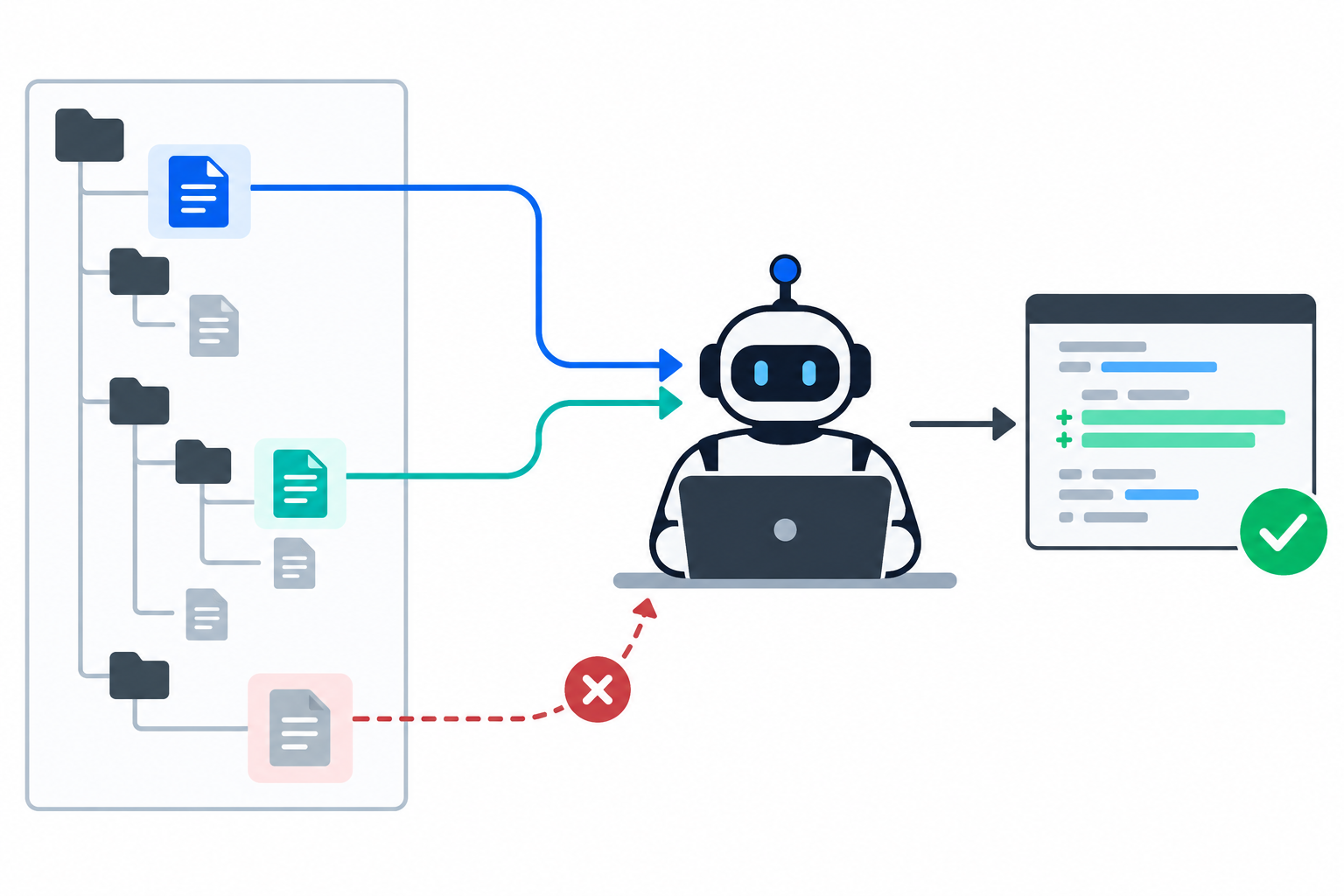
Official pages checked on 2026-09-26. This is a documentation comparison and a repeatable audit procedure, not a model benchmark.
AGENTS.md is a format; loading behavior belongs to each agent
The standard page presents AGENTS.md as an open, tool-agnostic Markdown format. It also says the nearest file takes precedence and that an explicit user prompt overrides repository guidance. Product documentation makes clear why that summary is not enough to predict every tool's behavior.
| Documentation | What it says about discovery | Limit or boundary |
|---|---|---|
| AGENTS.md project site | Root and nested AGENTS.md files are supported; the closest file is described as taking precedence. | The page is a format overview, not a complete behavior contract for every supported product. |
| Codex documentation | Codex builds a chain from its global guidance through the project root down to the current directory. It selects at most one file per directory, then combines the chain from root to leaf. Per-directory precedence includes AGENTS.override.md before AGENTS.md and configured fallback names. | The default combined project-instruction limit is 32 KiB. It is configurable; empty files are skipped. |
| Devin documentation | Devin looks for AGENTS.md files before coding, including files at the project root or elsewhere in the project. | Devin automatically includes up to 16 KiB from the beginning of each file. Longer files receive a truncation notice; the rest can be read on demand. |
| Cursor, as listed by the format site | The format site lists Cursor among supported agents. | That listing does not establish Cursor's exact AGENTS.md lookup, merge, or size behavior. Check the current Cursor documentation and version. |
Do not treat 32 KiB and 16 KiB as competing measurements. Codex documents a default combined project-instruction budget. Devin documents an automatically included prefix for each file. They describe different products and different limits.
For Codex, the documented per-directory order is AGENTS.override.md, AGENTS.md, then any configured fallback filenames. The root-to-leaf chain is combined, so a more local file appears later. A different agent may use a different rule; record the product and version when you test.
A five-minute check for your own repository
This check records which files your current tool actually reports. It does not measure code quality or prove that one instruction file improves task success.
- Create a disposable repository with a root folder and a
src/subfolder. Do not test in a working project. - Put a unique marker in the root
AGENTS.md, such asROOT-CHECK-731. Put a different marker insrc/AGENTS.md, such asSRC-CHECK-284. - Start a fresh agent session from
src/. Ask: “List the repository instruction files active for this task, in the order you applied them. Quote one short marker from each. Do not modify files.” - Record the tool, version, launch directory, reported files, markers, and any stated truncation. Keep the exact output with the worksheet.
- Add a deliberately conflicting instruction in the nested file. Repeat the same small task from
src/and record what the agent did, including whether it explained the conflict. - Repeat from the repository root. A different result can show that the launch directory changes the discovered instruction chain.
repo/
  AGENTS.md          # ROOT-CHECK-731
  src/
    AGENTS.md        # SRC-CHECK-284
Do not put the marker values in your prompt; that would let the model repeat them without discovering the files. Use a new session after editing guidance unless the tool explicitly documents live reloading. Codex documents instruction-chain discovery at startup; do not generalize that behavior to other agents.
Download the audit worksheet (CSV)What belongs in the root file?
Keep root guidance limited to facts that should shape nearly every task. Prefer instructions an agent can verify over general wishes.
| Put here | Example | Move elsewhere when |
|---|---|---|
| Verified setup and test commands | pnpm test --filter api | A command applies to one package or one workflow only. |
| Repository-wide safety boundaries | Never edit generated files under dist/. | A rule only applies to one language, package, or directory. |
| Stable architecture facts needed for most work | Shared types live in packages/contracts/. | The detail changes often or is easy to discover from code. |
| Links to focused guidance | For database migrations, read docs/database-changes.md. | The instructions are long, conditional, or needed only for a specific task. |
Use nested files for local constraints only after checking how your agent combines them. For Devin, keep critical lines near the beginning because automatic injection starts at the top of each file. For Codex, verify the combined byte budget and the documented override filename order. Keep the files version-controlled and review them like code when commands or project structure change.
Common reasons a correct-looking file has no effect
| Symptom | Check | What to capture |
|---|---|---|
| No marker appears | Confirm the agent started inside the intended repository and the filename is supported. | Exact launch path, file path, product and version. |
| Unexpected rule wins | Look for a global file, a nearer nested file, or a product-specific override. | All discovered files and their order. |
| Later rules seem ignored | Check the product's size limit and whether it reports truncation. | File sizes, marker position, and truncation message. |
| A renamed guide is ignored | Check whether the alternate filename is supported or configured. | Configuration, restart/session state, and exact filename. |
| The agent follows the chat request instead | Compare that behavior with the product's instruction hierarchy. | The conflicting lines and the agent's explanation. |
For Codex specifically, the official guide recommends checking the intended workspace root, override files,
configured fallback names, the byte limit, and the active CODEX_HOME. These are diagnostic steps
from that product's documentation, not universal AGENTS.md rules.
If your question is specifically about Cursor's .cursor/rules/ behavior, see our
controlled Cursor rules test. It tests that product-specific rule layer and should
not be read as evidence about AGENTS.md discovery.
Questions people ask
Is AGENTS.md a special file format?
No. It is plain Markdown. The filename convention is useful only when a coding agent recognizes and loads it.
Can I put one in a nested folder?
Yes, the standard site describes nested files. Check the selected agent's documented scope and precedence before relying on inheritance or replacement.
Does every coding agent load AGENTS.md automatically?
No universal guarantee follows from the file format. The official format page lists supported agents, while each product controls its own discovery rules, limits, and fallback behavior.
Should AGENTS.md replace README.md?
No. Keep human-facing project orientation in README.md and put concise agent-specific working guidance in AGENTS.md. Link to detailed docs instead of copying them wholesale.
Sources checked
The comparison uses the ten pages from the observed search set. Official pages remain part of the coverage baseline; the new contribution is the cross-tool comparison and a repeatable verification worksheet.
- AGENTS.md project site - format, examples, compatibility list, and FAQ.
- agentsmd/agents.md on GitHub - project README and sample file.
- Custom instructions with AGENTS.md - Codex discovery, merge order, limits, and troubleshooting.
- What is AGENTS.md? - general overview and example.
- Reddit discussion - the page returned a network security block in this browser; only its Google result snippet was visible and it was not used to establish article-body coverage.
- A Complete Guide To AGENTS.md - concise guidance, progressive disclosure, nested files, and stale information.
- AAIF AGENTS.md project - project overview, stewardship, and activity signals.
- AGENTS.md files for Devin - Devin's documented automatic inclusion limit.
- Writing a Good AGENTS.md - research summary and writing recommendations.
- The Agent-Native Repo - repository-level guidance, hierarchy, and operational examples.
Google displayed the first eight as first-page web results and the final two on the next page. The location footer said it could not determine the location; no US location is claimed here.